.svg)


Whether you want to book a session with a rep, want to know more about FreeStyle Libre or have a specific question, fill in our contact form and your local rep will be in touch as soon as possible.

Welcome to the
Libre Hub
for Primary Care
for Primary Care
Everything you need to learn about the FreeStyle Libre 2 system and support patients quickly, easily and confidently.


Get started with FreeStyle Libre

Order sensors and readers for patients

Start prescribing with eligibility and support

Get your patients started and book patient training
Get to know the system
Designed to meet your patients' needs
The FreeStyle Libre 2 system allows patients to safely monitor their glucose levels without finger pricks.†,1,2
Watch the video to learn more about:
- The FreeStyle Libre 2 system
- Real-time glucose readings available on your patients’ smartphone◊,II
- Optional glucose alarms^
- Latest NICE Guidelines
System components
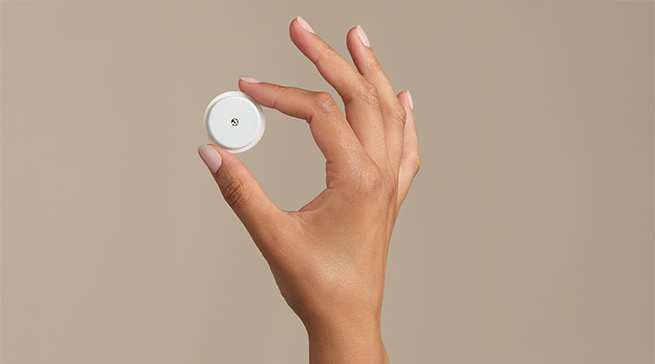
The FreeStyle Libre 2 System includes the Libre 2 Plus sensor, the LibreLink app, LibreView system and for those without a compatible smartphone, a Libre 2 reader

Libre 2 Plus Sensor
Easy to use & comfortable to wear1
Excellent 15-day accuracy3
Water-resistant for everyday use₸

LibreLink
Easy to use smartphone app3,◊
Real-time glucose readingsII
Optional glucose alarmsΩ,^

Libre 2 Reader
For patients without compatible smartphone
Easy to set up3
Optional glucose alarmsΩ,^
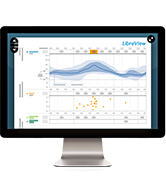
LibreView
Using LibreView,₼ our secure4 cloud-based system, patients can share their data with their care team, giving you access to in-depth reports for treatment decisions.

LibreLinkUp
Family members can see the glucose levels of their child or elderly parent right on their smartphone if connected with the LibreLinkUp app.§
Want to learn more?
Download our FreeStyle Libre 2 System Support Guide for Primary Care.

There is nothing like experiencing things for yourself
Need more support?
Use our guided support tool to find the answer to your question or contact one of our Abbott representatives.
References & Disclaimers
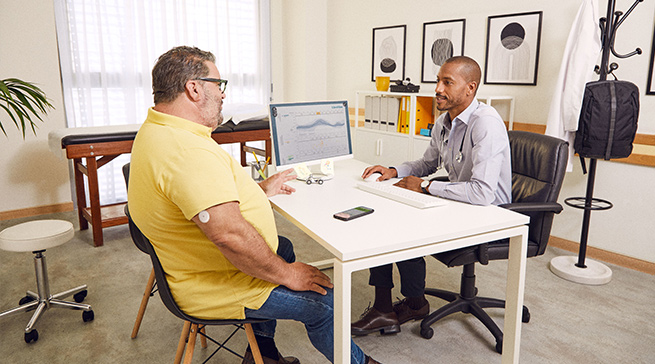
Images are for illustrative purposes only. Not real patients or data.
1. Haak, T. Diabetes Therapy (2017): https://doi.org/10.1007/s13300-016-0223-6.
2. Bolinder, Jan., et al. The Lancet 388.10057 (2016): 2254-2263 https://doi.org/10.1016/S0140-6736(16)31535-5.
3. Data on file, Abbott Diabetes Care, Inc
4. LibreView is ISO27001/27018/27701 certified and HITRUST CSF Certified.
† Finger pricks are required if glucose readings and alarms do not match symptoms or expectations.
◊ The LibreLink app is only compatible with certain mobile devices and operating systems. Please check the website for more information about device compatibility before using the app. Use of LibreLink may require registration with LibreView.
^ Notifications will only be received when alarms are turned on and the sensor is within 6 meters of the reading device. You must have override do not disturb settings enabled to receive alarms and alerts on your smartphone.
II Glucose readings are automatically displayed in the app only when the smartphone and sensor are connected and in range.
§ The LibreLinkUp app is only compatible with certain mobile devices and operating systems. Please check www.librelinkup.com for more information about device compatibility before using the app. Use of LibreLinkUp requires registration with LibreView. The LibreLinkUp mobile app is not intended to be a primary glucose monitor: home users must consult their primary device(s) and consult a healthcare professional before making any medical interpretation and therapy adjustments from the information provided by the app.
Ω Patients choose which device they want to receive alarms: Libre 2 reader or LibreLink app. They must start their Libre 2 Plus sensor with that selected device. Once the patient scans their Libre 2 Plus sensor with that device, they can receive alarms only on that device.
₸ Sensor is water resistant in up to 1 metre (3 feet) of water for a maximum of 30 minutes. Do not immerse longer than 30 minutes. Not to be used above 10,000 feet.
₼ The LibreView data management software is intended for use by both patients and healthcare professionals to assist people with diabetes and their healthcare professionals in the review, analysis and evaluation of historical glucose device data to support effective diabetes management. The LibreView software is not intended to provide treatment decisions or to be used as a substitute for professional healthcare advice.
ADC-92552 v4.0


Loading...
Do you want to leave this page?
The "Yes" link below will take you to a website other than Abbott Laboratories. Links to other websites are not under the control of Abbott Laboratories, and Abbott Laboratories is not responsible for the content of such websites or any link contained in such websites. Abbott Laboratories is providing these links to you only as a convenience, and the inclusion of any link does not imply endorsement by Abbott Laboratories of the site.
Do you want to leave this page?
This website is only for medical professionals who live and practice in the UK.
If you're a healthcare professional located in a different country, please select your country's website from the list of our global sites or contact your local Abbott representative for correct information about the products available in your country.
If you're not a healthcare profressional, click here to go to the FreeStyle Libre consumer website for the UK.